
How can I search for a person/researcher?
The easiest way to search for a person in Dimensions is to use the "Researcher" filter.
In the left column, select the Researcher filter. Then either select the researcher you are interested in by selecting Limit to next to their name, or, if their name does not appear in the list, select View more and type the name you are looking for. This will present you with options matching your search. Select the researcher and Add to search to see results only associated with that researcher.
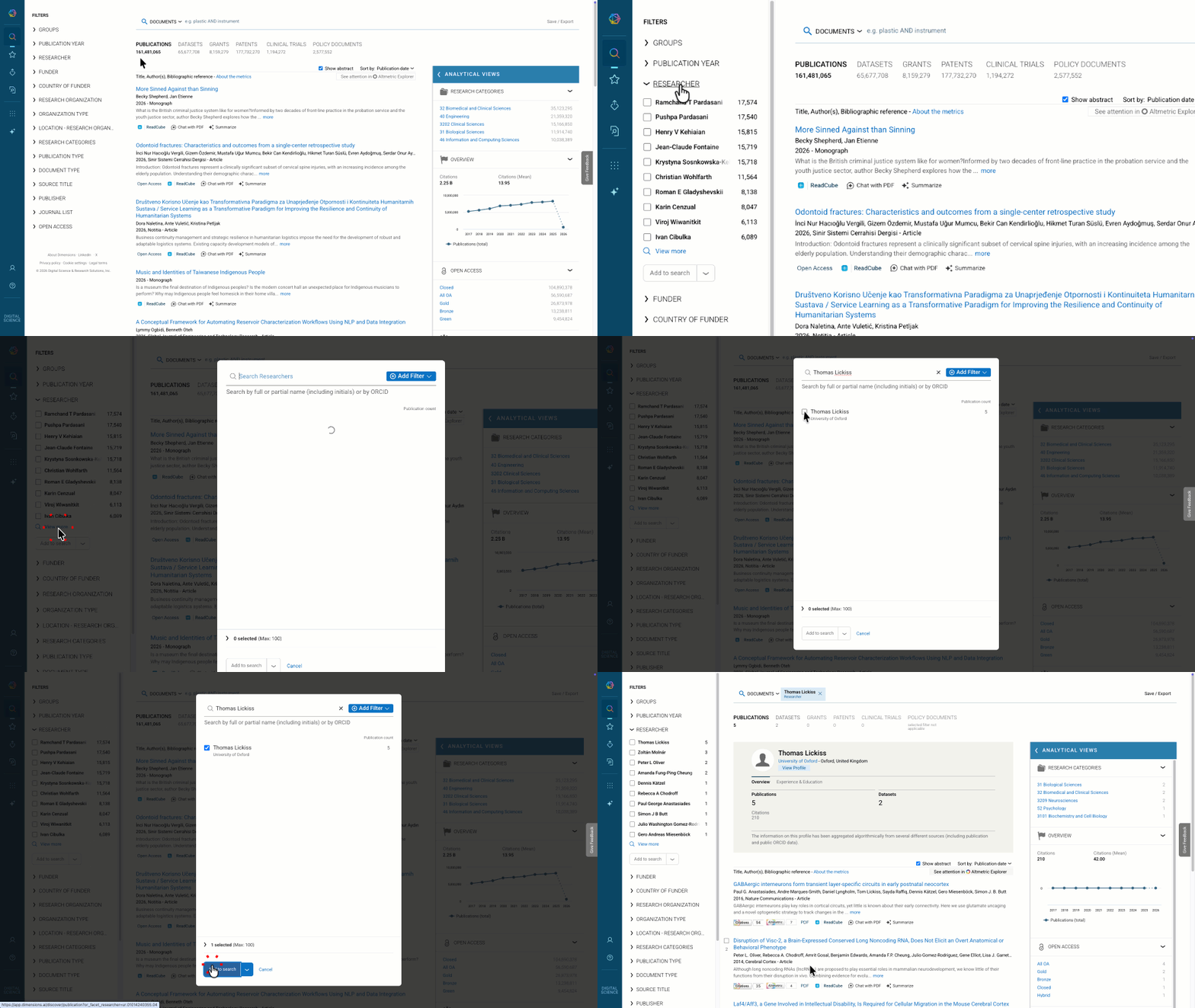
Researcher profiles include any publications, patents, grants, or clinical trials that this person is connected to (policy documents are not included), and the researcher's profile page includes other details and links to external pages such as their ORCiD record and US National Institute of Health (NIH) ID, if they are available.
Searching for a researcher using an ORCiD identifier
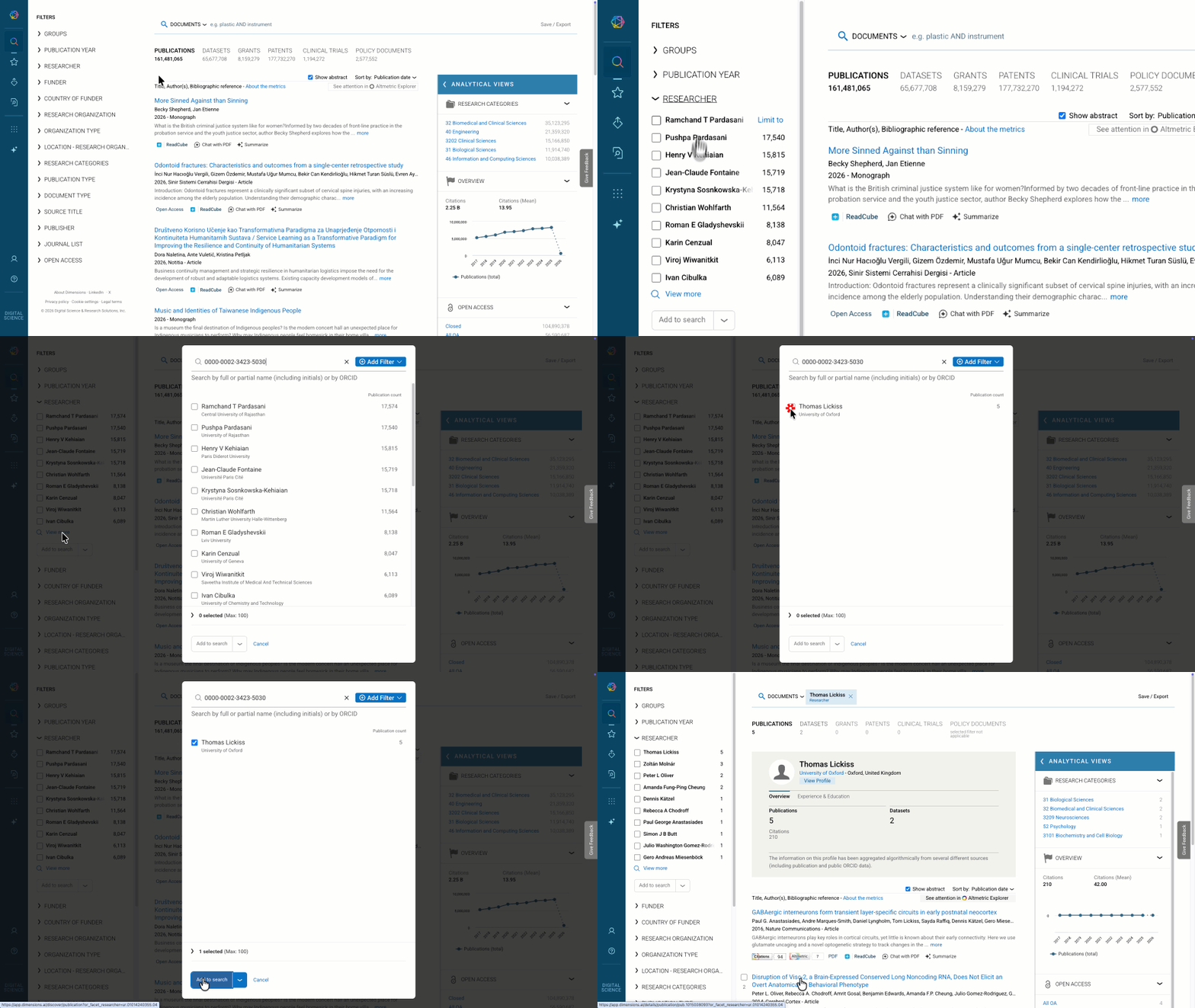
If you know the ORCiD identifier of the researcher that you are trying to find in Dimensions, you can use it in the Researcher Filter. Open the filter, select View more and enter the ORCiD identifier. This will present you with options matching your search. Select the researcher and Add to search to see results only associated with that researcher.
FAQ
I cannot find the researcher I am looking for. Why not?
If typing the researcher in does not give you the option you are looking for, it is either because you have misspelled the name, or the person does not have a profile in Dimensions. To have a Dimensions profile, a researcher needs to have at least two publications or one grant included in Dimensions.
I see multiple copies of the same name in the list. How do I know which one to choose?
In many cases, the current affiliation of the researcher is displayed alongside the name in the researcher filter type-ahead. This enables you to select the name with the affiliation you are expecting if there are many versions of the same name in the list.