How are researchers unified/disambiguated in Dimensions?
We take a combination of multiple variables into account when algorithmically aggregating publications or grants into author profiles, including, for example:
existing person IDs,
name variants,
affiliation data,
research topics,
journals,
co-authors, and
active years.
Why do some researchers have multiple profiles?
Person disambiguation in Dimensions is naturally conservative; this means that, where there is any doubt about whether two name (and related affiliation) variants are the same people or not, we will not merge them, as we believe it is better to try and ensure that two people are not combined when they should not be, even if this means that a researcher may end up with several profiles in Dimensions, or that some publications, grants, data sets, patents or clinical trials are not matched to any profile.
Including multiple profiles for the same person in a search
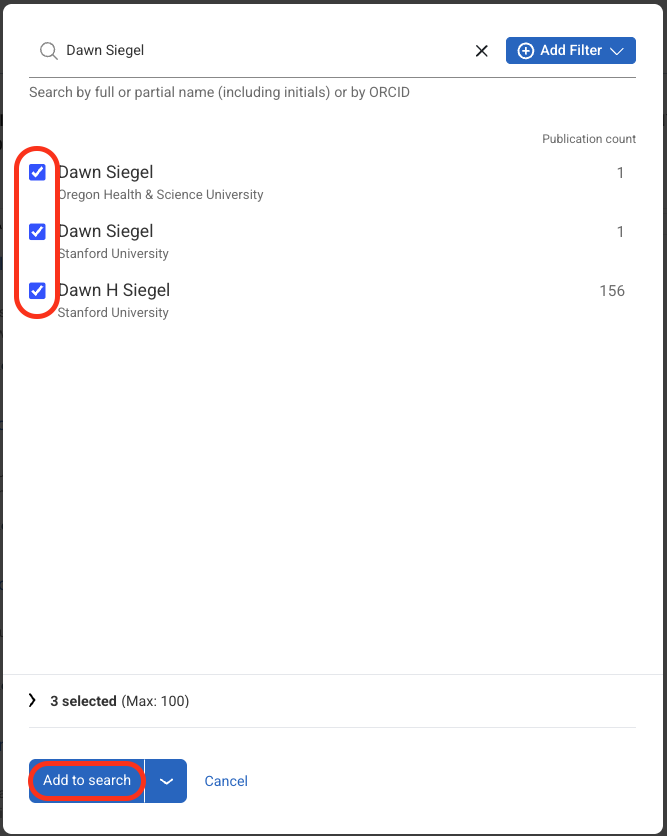
If you are searching for a person in Dimensions and find that there is more than one researcher profile for that person you can combine these for the purposes of your search by using the "OR" search functionality. Simply select the check-box next to each researcher in the search filter, and then click "Add to search" at the bottom of the filters (see screenshot).
Keep your ORCID profile up to date
The technology and data sources we are using to disambiguate authors are improving all the time. As we are also taking information from ORCID into account, a well maintained ORCID profile - which needs to be set to 'public' - significantly increases the probability that related profiles will automatically be merged (changes made to the list of works on the ORCID profile, however, are not directly feeding into Dimensions).
Request manual curation of a profile
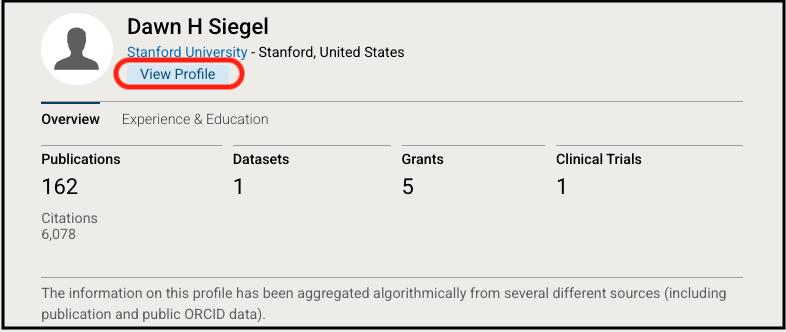
You can suggest edits to a researcher profile. After selecting a researcher from the filter, click the View Profile link beneath their name.
On their profile page, select "Suggest Edits."
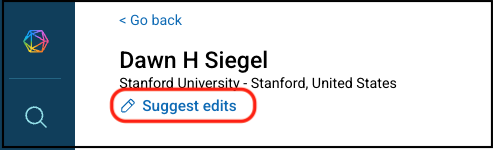
You can suggest an edit to modify the following information on a researcher profile:
Changing a researcher name on a profile
Adding publications or grants to a profile
Removing publications or grants from a profile
Merging multiple profiles together
Splitting a single profile into multiple profiles
Note that researcher profile affiliations are automatically assigned based on recent publications or funded grants in Dimensions.
After curation, it takes time for the updated profiles to become visible in Dimensions. Updates to a profile's publications are generally available in about two weeks. Updates to a profile's grants may take up to seven weeks. We recommend checking the profile after this period to confirm your requested updates.
If your organization has a Dimensions subscription, please contact the Dimensions support team for information about curating multiple profiles.
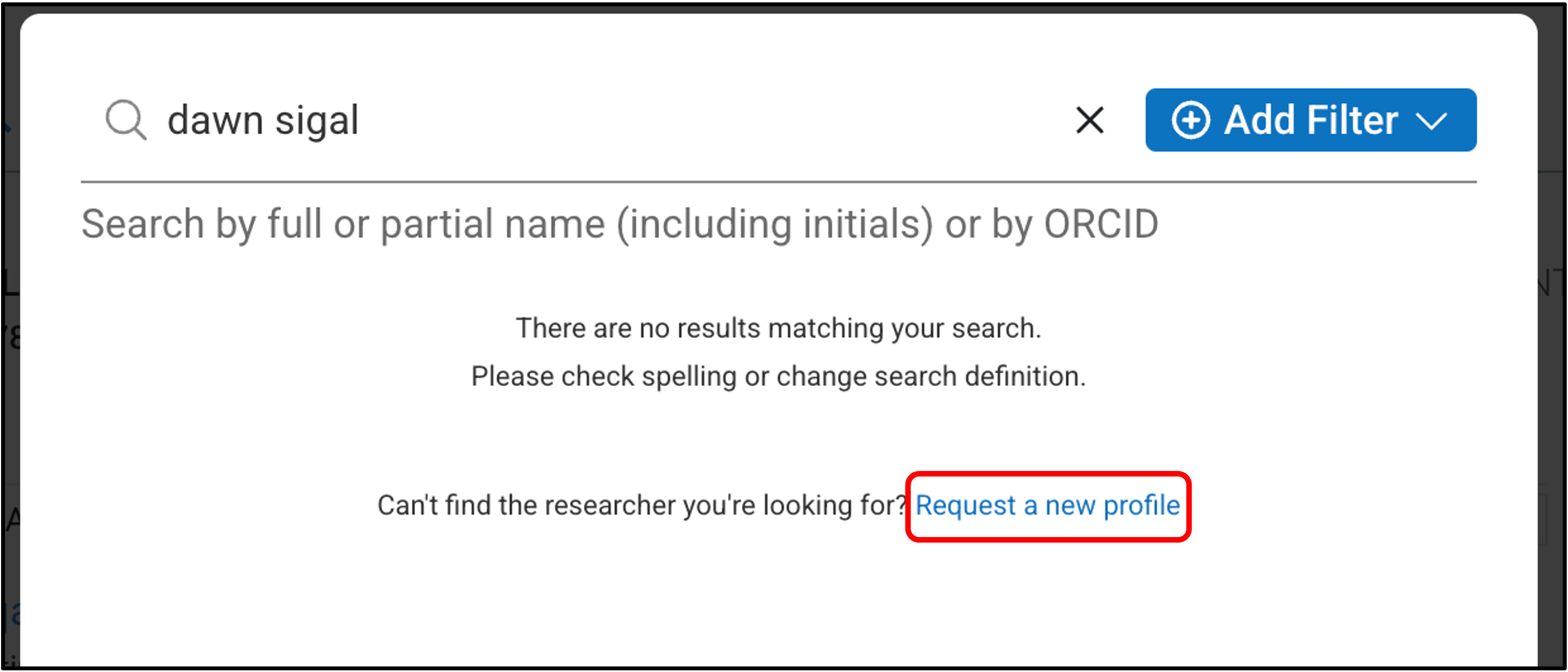
Request a new profile
You can request a new profile when you find no results when searching in the Researcher filter. Click the "Request a new profile" link to access the new profile request form.