
How can I get alerts about new results for my search?
Creating and managing alerts
Creating a new alert
You can opt-in to receive weekly email updates of new results for each content type of a saved search. The email will list up to 10 new results for each selected content type as well as a link to view the new results in Dimensions. This "Show all new publications/grants, etc." link opens Dimensions with a filter applied which only shows the results added during the last 7 days.
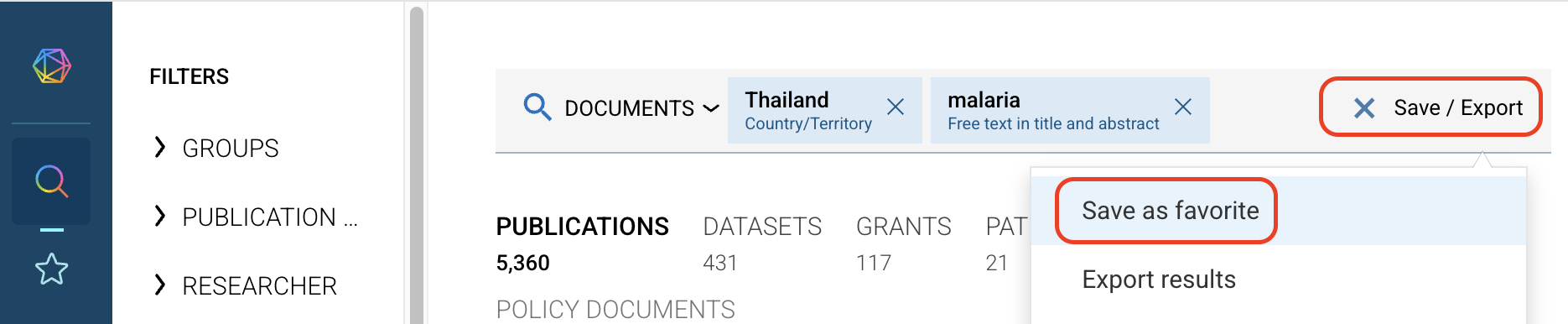
Saving a search as a favorite
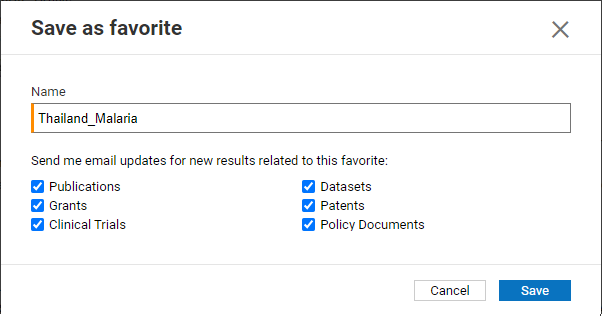
Enabling search alerts
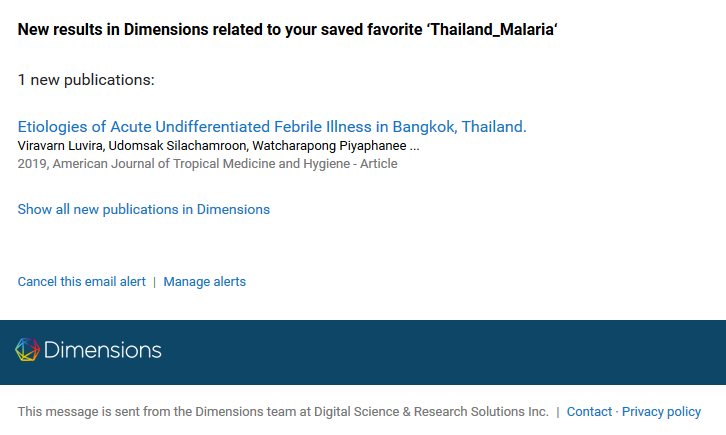
Example email alert
Enabling or disabling alerts for existing favorites
Alerts will not automatically be enabled for existing favorites, but you can manage alerts from your Favorites page:
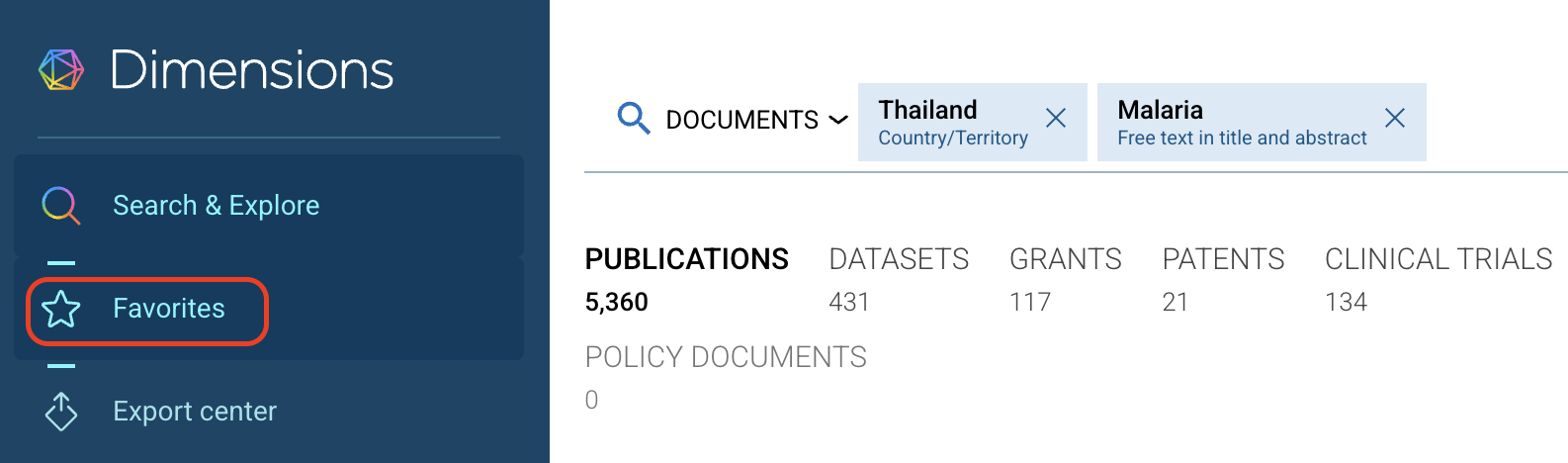
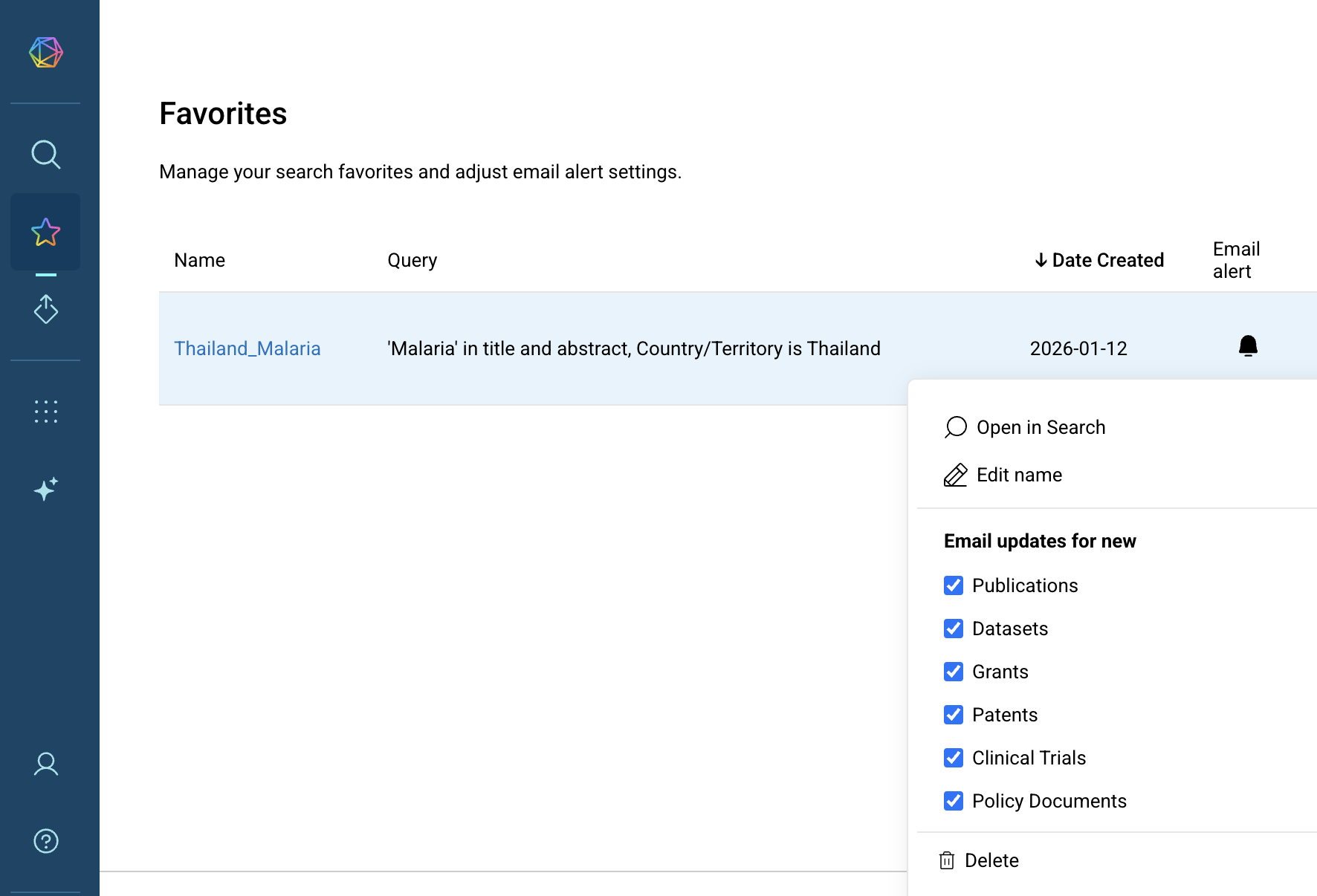
Accessing the Favorites page
FAQ
How can I unsubscribe?
There are three ways of disabling alerts:
"Cancel this alert" in the email: disables the alert, no login required;
"Manage alerts" in the email: takes you to your Favorites page where alerts can be managed (login required);
In the application, go to your Favorites page where all alerts can be managed.
Can I get multiple alerts in one email?
No, you will always receive one email per alert/search.